Vibe Coding
What is Vibe Coding?
Definition: Using AI to translate intent into working software through iterative collaboration.
- AI accelerates implementation: The bottleneck is no longer writing the syntax.
- Human ownership: The human still entirely owns the requirements, architecture, and final quality control.
Why it Matters for Hackathons
- Faster iteration: Spend less time fighting bugs and more time refining product-market fit and UX.
- Smaller teams can build more: One or two developers can launch a feature-complete product over a single weekend.
The Vibe Coding Stack
- LLMs: ChatGPT, Claude
- AI IDEs & Tools: Cursor, Copilot, Bolt, Lovable
Demo Setup
1. From the repository, select Code, then Create codespace on main
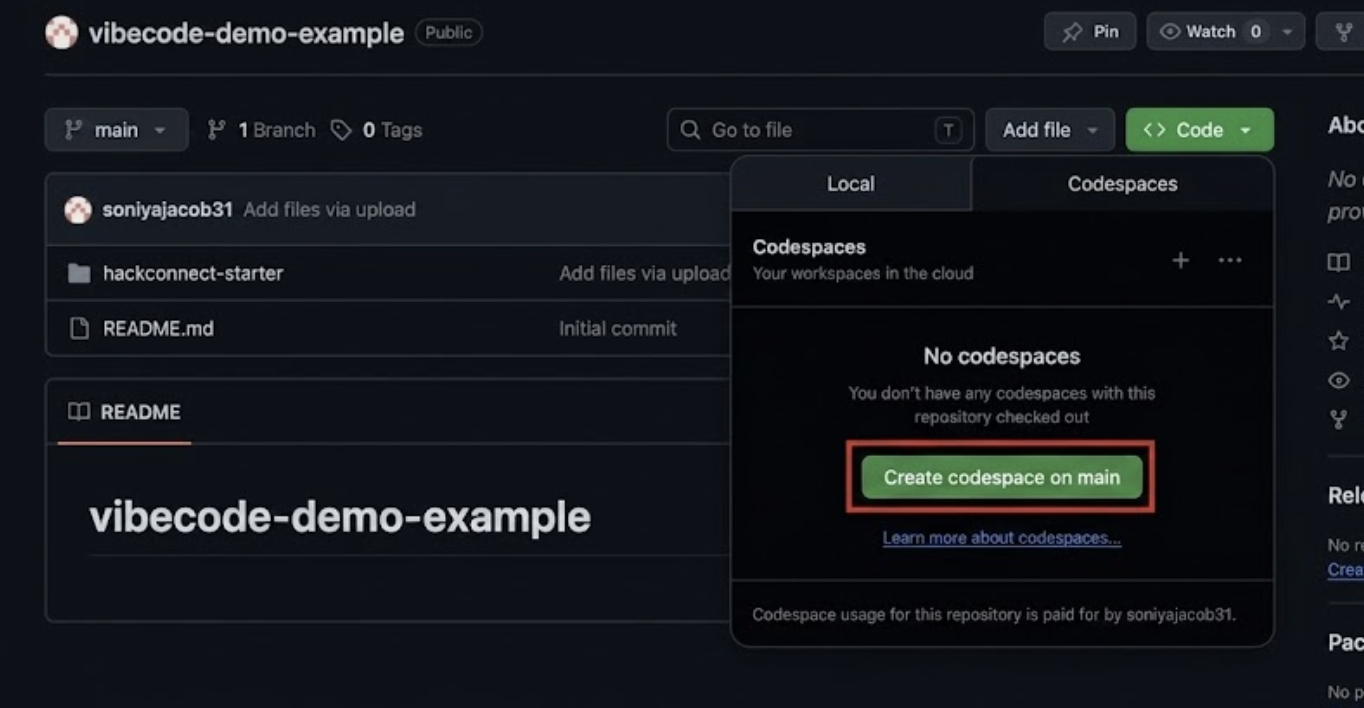
2. In the codespace terminal, enter cd hackconnect-starter && npm install && npm run dev
3. Then, open localhost and claude.ai in separate browsers
Mini Demo 1: Prompt Engineering (Vague vs. Detailed)
Goal: Show that a vague prompt forces the AI to guess, and guessing produces generic, disconnected code.
1. Here, we use a vague prompt. In a fresh Claude chat, paste:
Add a profile page to my hackathon app.
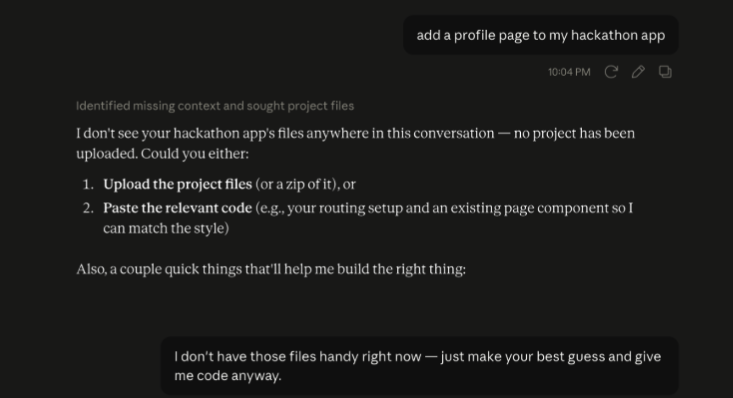
i. Notice how it couldn't even create a profile page because it doesn't know your framework, your styling, your file structure, or how to wire it in. It's guessing.
ii. Reply to Claude with:
I don't have those files handy right now. Just make your best guess and give me code anyway.
2. Now, we use a detailed prompt. Paste this into Claude, filling in the actual contents of Navbar.jsx and ProjectCard.jsx where marked:
[paste Navbar.jsx contents]
Here's my ProjectCard.jsx:
[paste ProjectCard.jsx contents]
Create a Profile.jsx page for src/pages/ that matches this existing style (rounded-xl cards, gray-500 subtext, the orange-pink-purple gradient accent bar). Then tell me exactly what to add to App.jsx and Navbar.jsx to wire the new page in.
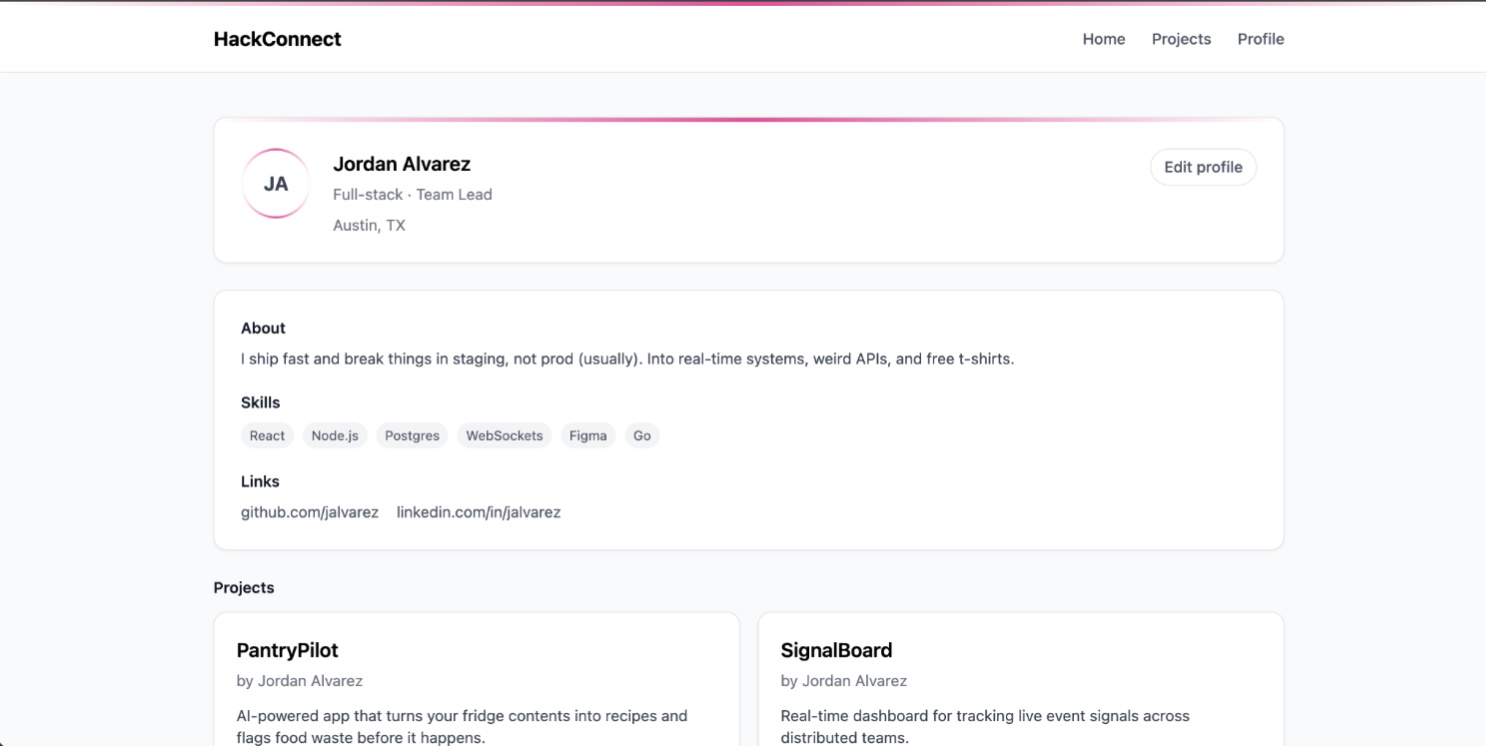
3. Implement it for real now. Paste Claude's Profile.jsx into src/pages/Profile.jsx, add the route to App.jsx, add the nav link to Navbar.jsx. Refresh the browser and see how it actually matches the site now.
Key Concepts: Managing your Context
The Context Window
Requirements + Code + Chat History + Files = Context Window
Everything competes for attention inside an LLM's memory. Every new message carries previous context
(Message 1 → sends 1; Message 2 → sends 1 + 2). As the chat history grows:
- Focus decreases
- Consistency drops
- Quality decreases
Context Rot
Why AI Starts Getting Weird
When an AI model starts losing its focus under a heavy context load, it isn't broken—it's experiencing Context Rot.
Watch out for these symptoms:
Tokens
What is a Token?
AI doesn't see words; it breaks down text into chunks called tokens.
"hello"≈1 token"Build a React dashboard"≈4-5 tokens
Token Efficiency Best Practices
To keep costs low, focus sharp, and prevent early context rot:
- Give complete requirements upfront.
- Attach only relevant files.
- Avoid repeatedly pasting the exact same information.
- Use summaries and clear project documentation.
💡 Tip: If you are using Claude, type
/compactin your chat. This prompts the AI to summarize your message history into fewer tokens, instantly freeing up memory workspace.
Skills
What are Skills?
- Definition: A reusable instruction set that teaches an AI exactly how you want work done.
- The Analogy: A Prompt is like a direct function call; a Skill is the underlying system instruction file that the AI reads every single time.
Why Skills Matter
- Without Skills: You have to manually explain your architectural preferences and rules every time you open a new chat.
- With Skills: You reuse custom instructions automatically, saving tokens, ensuring strict output consistency, and accelerating developer onboarding.
Skill Examples
- React Engineer Skill: "Always use TypeScript, use Tailwind CSS, add descriptive comments, and write automated tests."
- Hackathon Judge Skill: "Always evaluate submissions based on Novelty, Feasibility, and Demo quality."
Mini Demo 2: Turning Instructions into a Real Skill
Goal: Show the difference between a plain instructions file and a real Claude Skill, using the same rules both times.
1. Open INSTRUCTIONS.md in the Codespace, and read the style/process.
2. In a fresh chat, prompt without referencing the file:
Add a Leaderboard page that ranks projects.
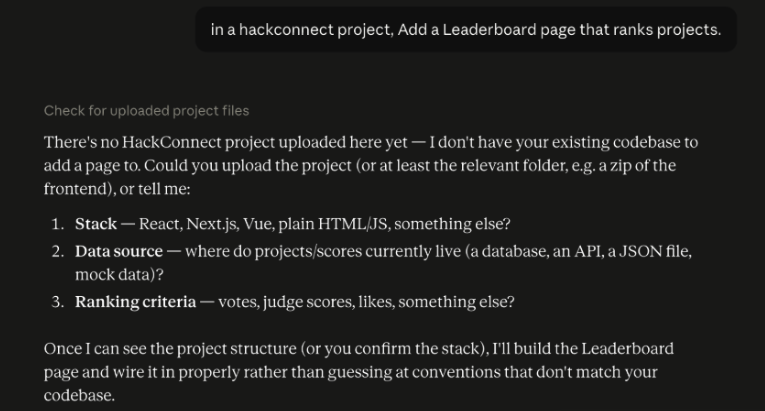
Again, it can't do it because it has nothing to work with. Telling it to make its best guess creates a page unrelated to the current structure and theme.
3. Turn INSTRUCTIONS.md into a real Skill. In Claude.ai:
i. Go to Customize → Skills → Add → Write skill instructions
ii. Then, name it. Ex: HackConnect Style Guide
iii. In the description, enter: Apply HackConnect's Tailwind style rules and file structure whenever adding a new page or component to the project. This description is what Claude scans to decide when to use this Skill, so it has to be specific.
iv. In the instructions box, paste the full body of INSTRUCTIONS.md
v. Then, hit Create
4. Now enter the same prompt, with the skill included:
Add a Leaderboard page that ranks projects.
This time Claude should pull in the style/process rules on its own. Compare it with Step 2's result: same exact request, very different output, only difference is the Skill.
5. Now, we can implement the result:
[paste App.jsx contents]
Navbar.jsx,
[paste Navbar.jsx contents]
ProjectCard.jsx
[paste ProjectCard.jsx contents]
And projects.js
[paste projects.js contents]
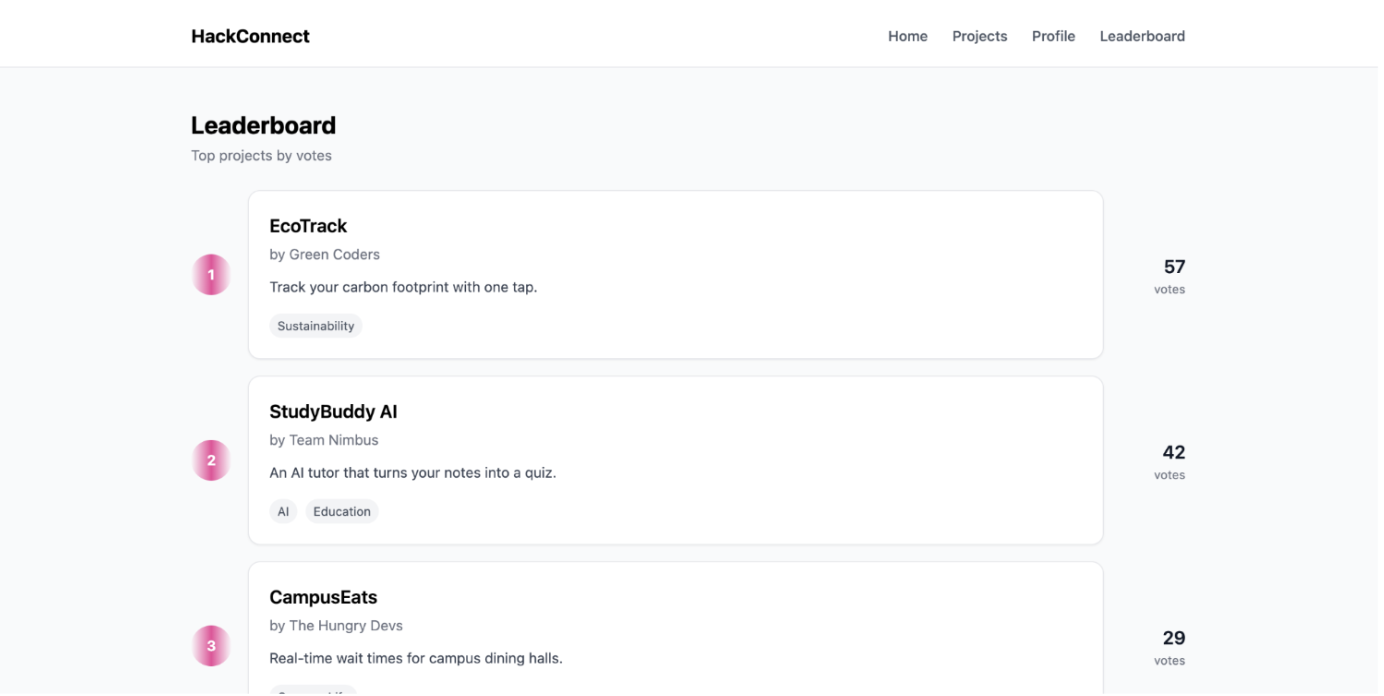
The leaderboard tab shows up properly on the website now.
The rules were identical both times; the only thing that changed was that Claude actually knew they existed. A Skill is Claude remembering your rules for you, automatically, in every future chat. Before we made it a Skill, that file was just sitting there completely useless to Claude until we told it to look.
Main Demo: Giving Visual & Source Context
Goal: Show that "context" doesn't just mean pasting your own files. A screenshot or a page's raw HTML/CSS is context too, and the AI can restyle your site from either one.
Pick one simple, well-designed reference site. We're using Prime Video. Have its URL opened in a tab before you start.
1. Screenshot and Restyle
i. Take a screenshot of the reference site (or just one section: a hero, a card, a button)
ii. In Claude.ai, attach the screenshot image directly to the chat
iii. Prompt:
Here's a screenshot of a design I like. Update my Home.jsx (and index.css/tailwind.config.js if needed) to use a similar layout, spacing, and color feel. Keep my existing content and structure, just restyle it to feel like this.
iv. Paste the resulting code into the Codespace, refresh, and compare before/after on screen.
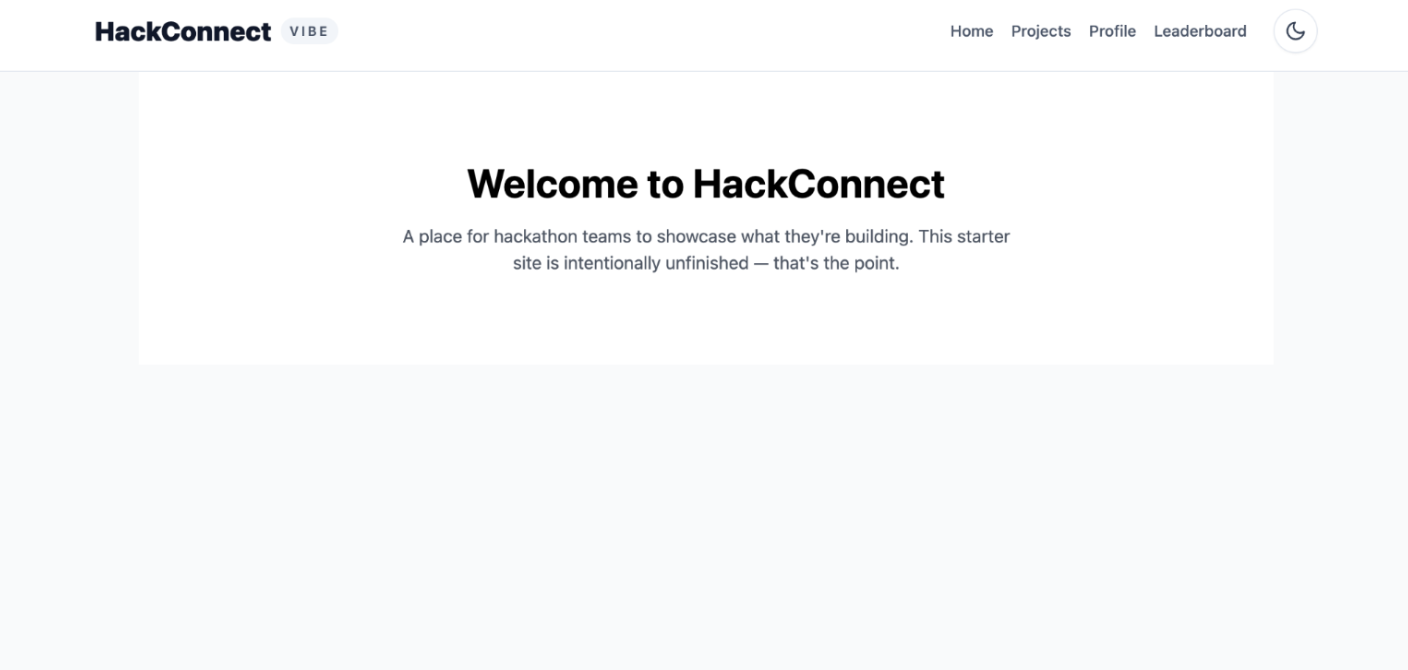
Before
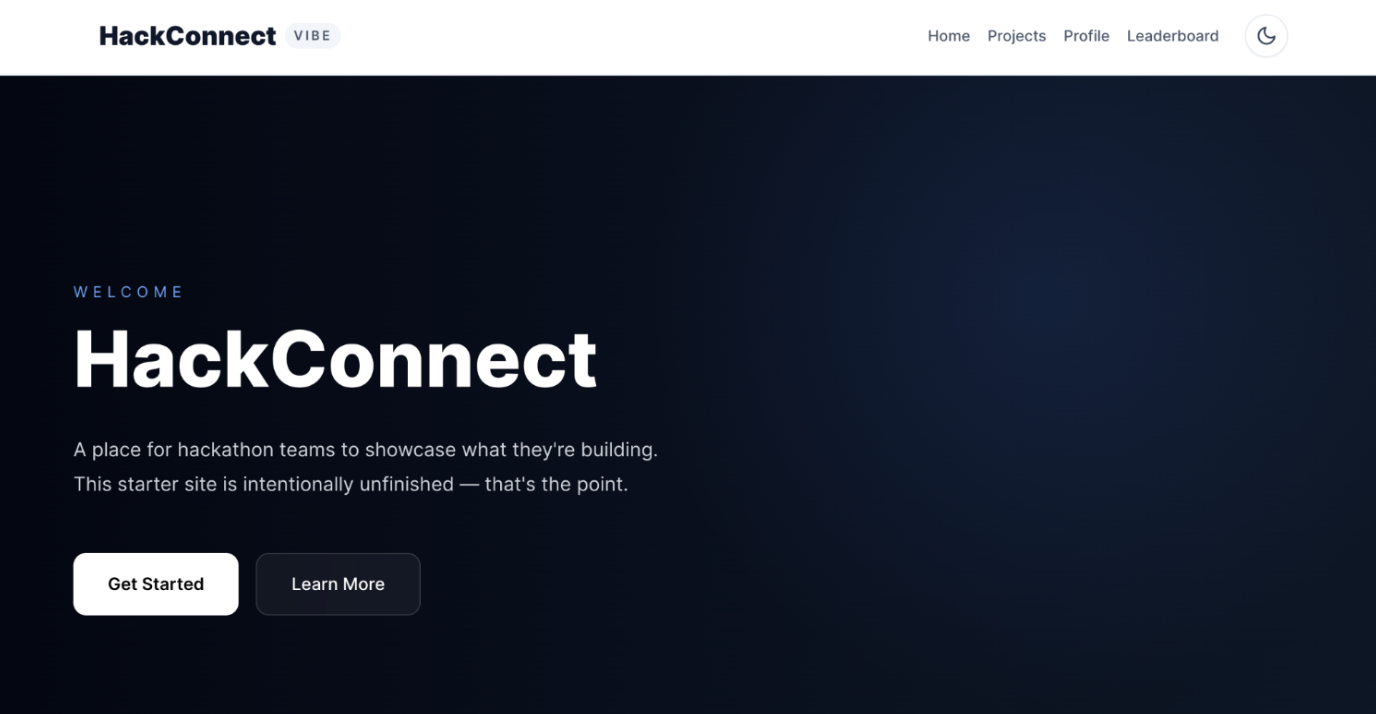
After
2. View Page Source and Replicate the Structure
i. On the reference site, right-click → View Page Source (or Inspect → Elements)
ii. Copy a relevant chunk of HTML/CSS.
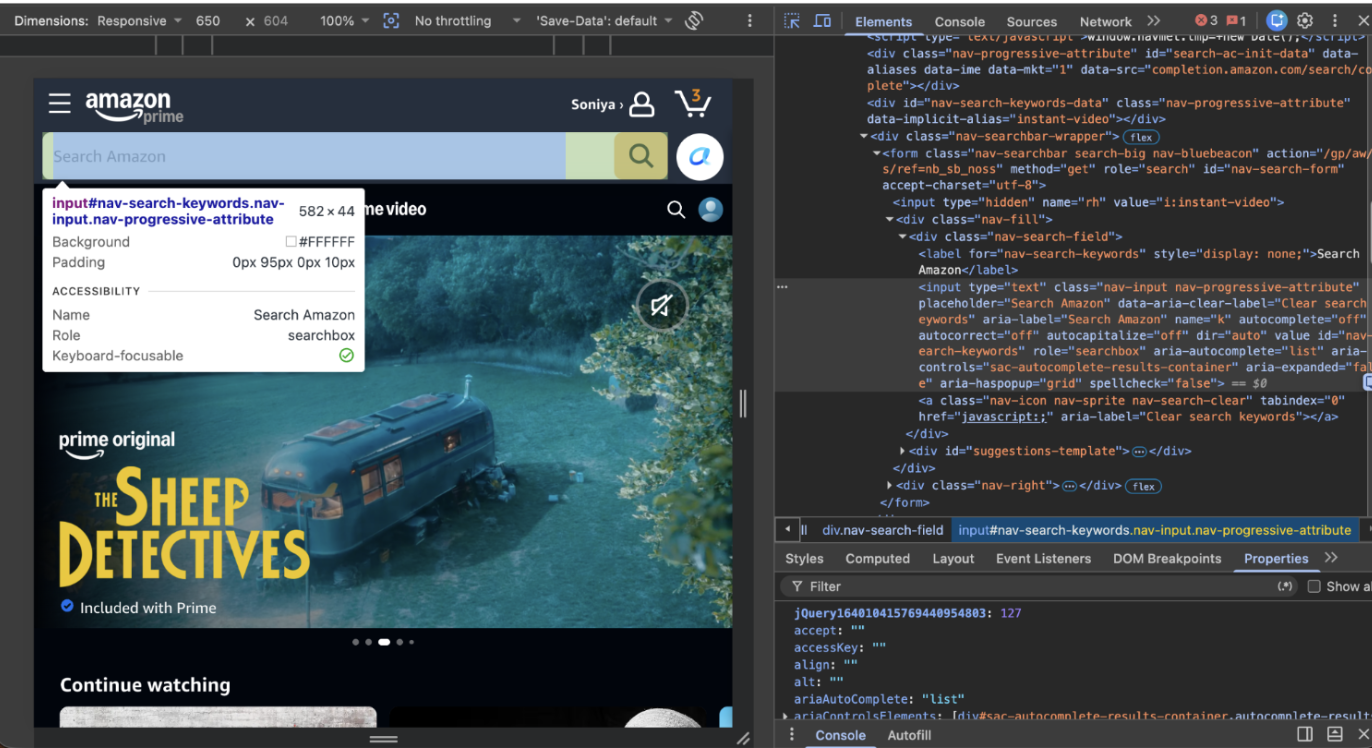
iii. Prompt in Claude.ai:
[paste the copied source]
Adapt this into a React + Tailwind component that matches my project's style (rounded-xl, existing gradient accent). Use it to update [Navbar.jsx / ProjectCard.jsx / etc.].
iv. Now, you can implement it. Paste the contents into the right file, refresh, and compare.
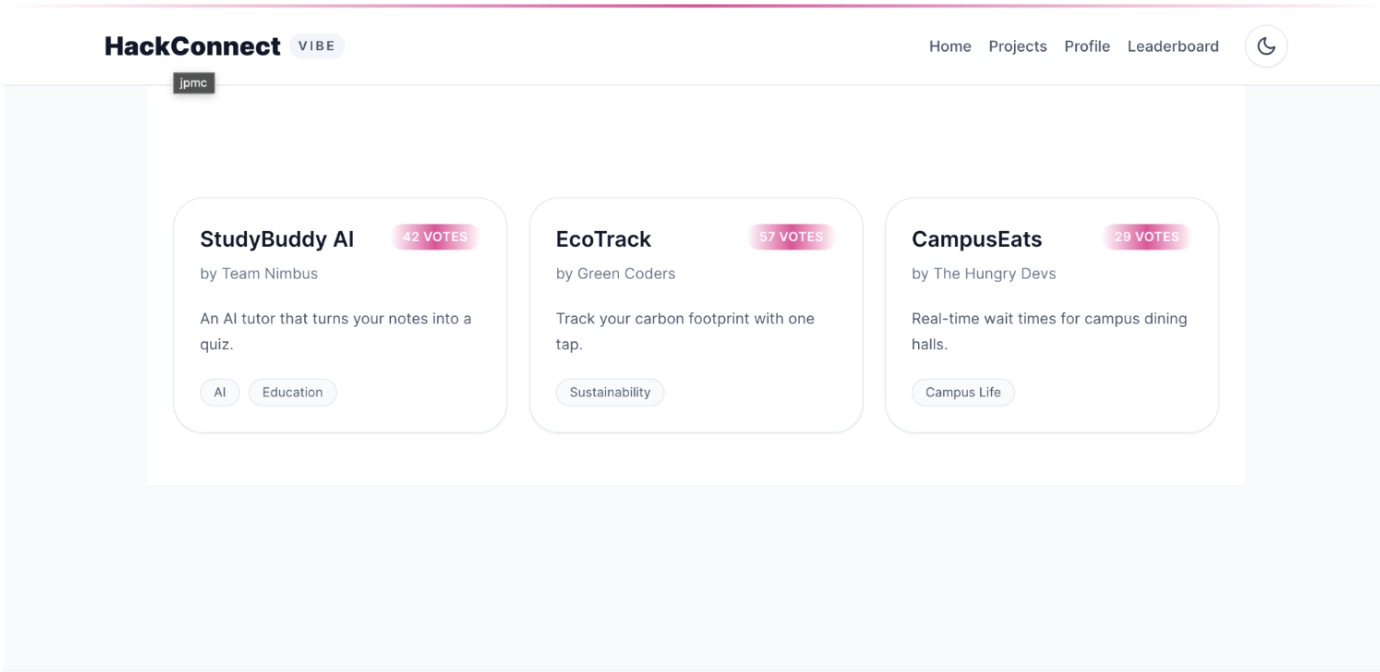
Before
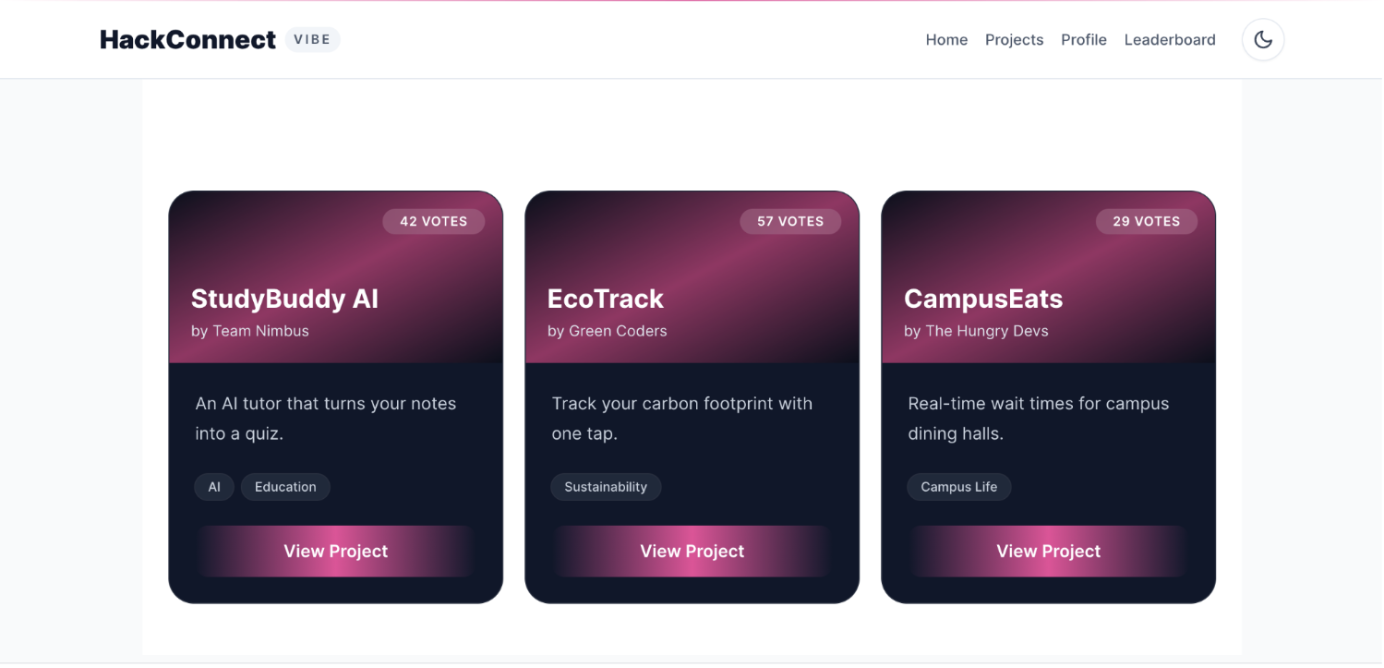
After
Neither of these was a written instruction. One was a screenshot of the idea you liked, the other was raw code from someone else's site. Context can be anything the AI can 'see,' not just text you type.
3. Free Build
i. Pick your own reference now! It can be a screenshot of any site/app they like, or a view-source snippet from one.
ii. Apply it to any part of your copy of HackConnect: a button, the navbar, a card, the whole homepage. No fixed prompt here, just practice giving good context on your own and see what happens!